Oct 8, 2026
94 views
How to Use and Create SFTP Password
Upload more than 1GB file and How to generate password for SFTP
Prerequisite: SFTP Client
Recommended:
or
To Access your SFTP go to Settings > SFTP Access > Click Connect
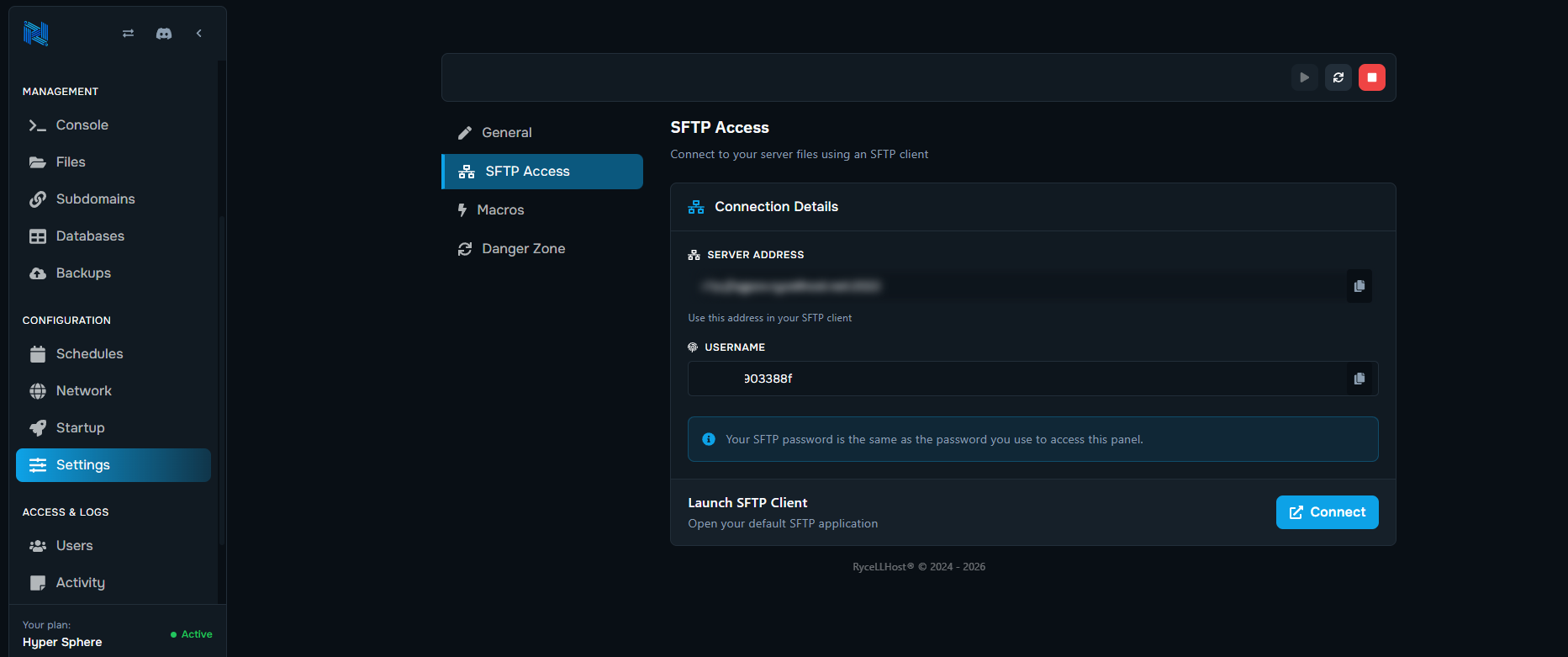 You need to generate a Password for SFTP Access.
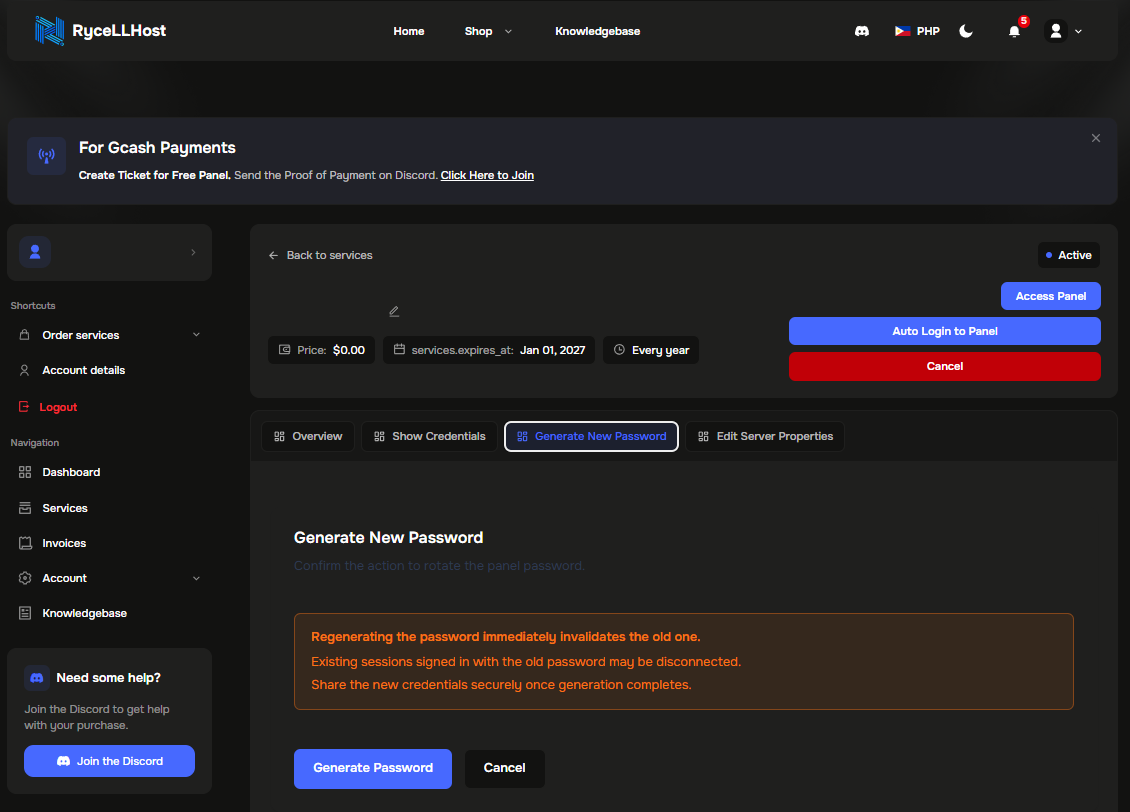
To generate an SFTP password, you need to go to your dashboard (https://rycellhost.net/)
Select the Service you want to get the SFTP password for
Navigate to the "Generate New Password"
Click Generate Password