Aug 14, 2026
161 views
How to Create Database and Access phpMyAdmin
Step-by-step tutorial on databases
How to Create Database and Access phpMyAdmin
- Login to your panel Game Panel
- Select your Server
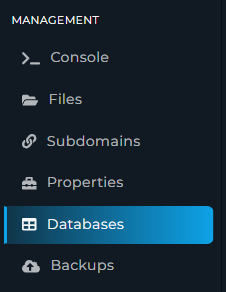
- Click Database Icon on the Left
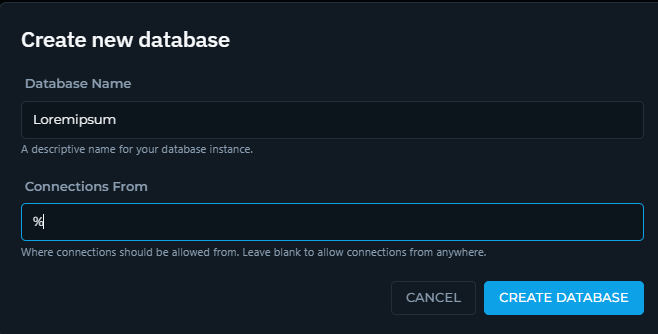
- Click New Database
Enter Database Name
Set Connection from
%
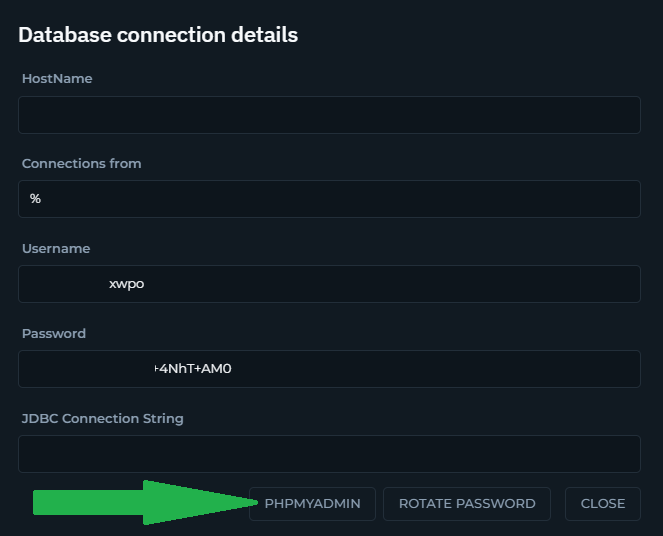
- Click the View Icon to see the Credentials
- Click the phpMyAdmin to access and import to the database
HOSTNAME = HOSTNAME (REMOVE :3306)
DATABASE Name = "Name that you created"
USERNAME = Username
PASSWORD = Password