Aug 14, 2026
324 views
How to access the RyceLLHost Game Panel
Learn how to access the Game Panel.
How to access the RyceLLHost Game Panel
Follow these steps to access your game server panel:
- Log in to the Website
- Visit RyceLL Host and log in to your account.
- Open Your Dashboard
- Go to your Dashboard and select your Active Service.
- Access the Game Panel
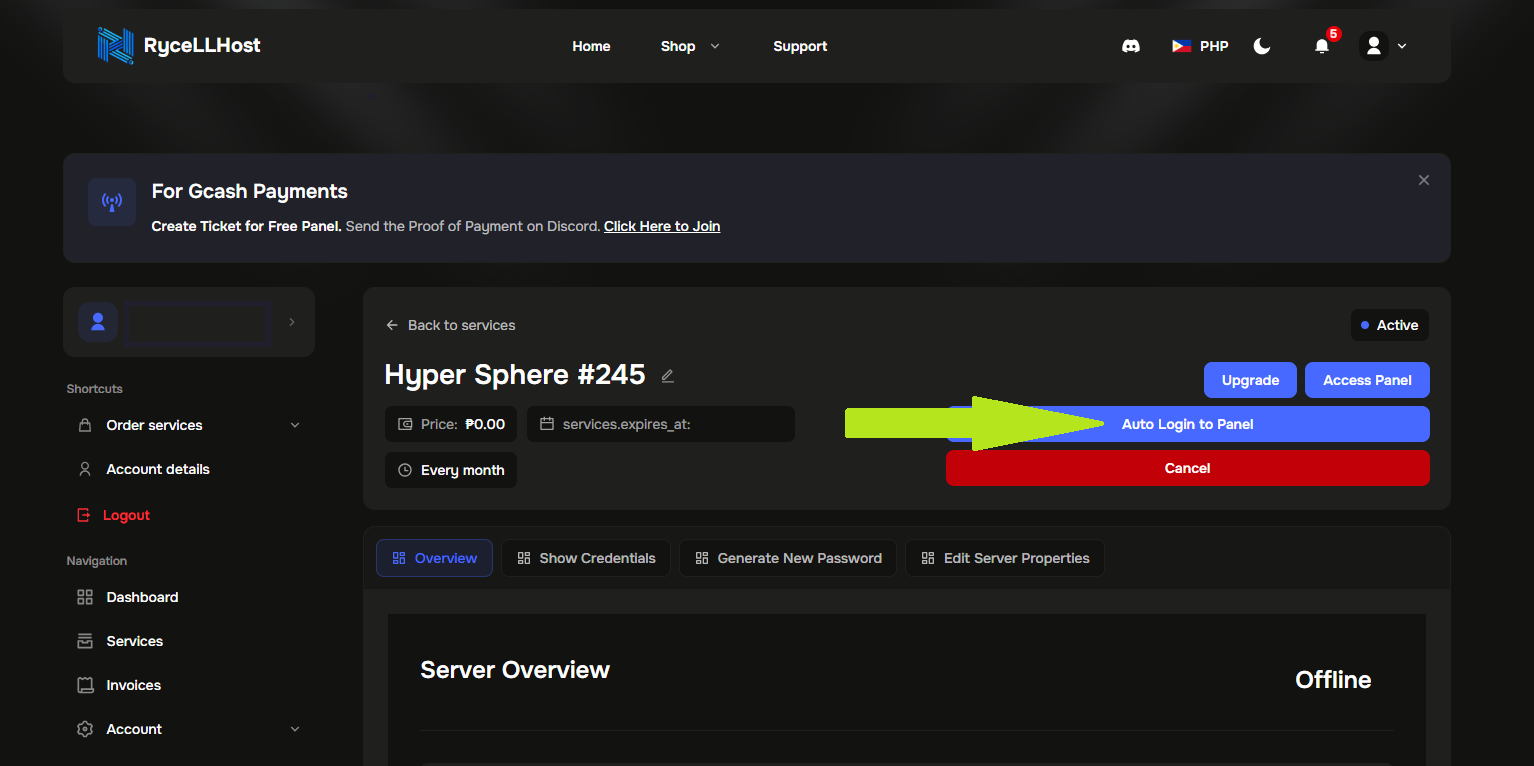
- On your service page, look for the Auto Login to Panel button.
- Click Auto Login to Panel
Clicking the button to automatically access your game panel without needing to enter your panel credentials again.